How to Monitor AI Agents in Production: Tracing Tool Calls, Loops, and Multi-Step Failures with Grafana
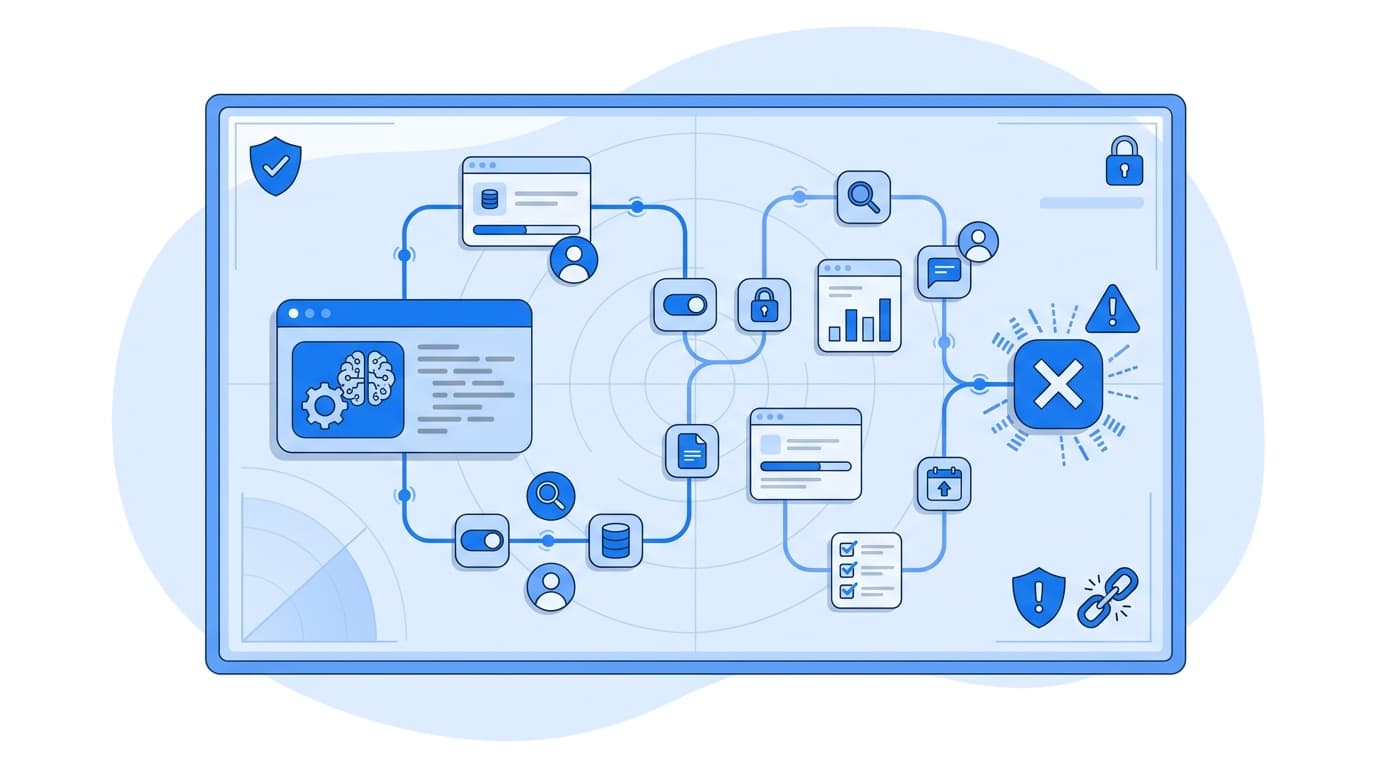
Monitoring AI agents in production comes down to three things: trace every step of an agent run as a span in a single distributed trace, attach structured attributes to each tool call and model call, and derive metrics and alerts from those traces so loops, runaway step counts, and silent multi-step failures surface before users report them. In practice, we do this with OpenTelemetry instrumentation, Grafana Tempo for trace storage and TraceQL queries, and Prometheus-compatible metrics generated from spans. This guide covers how we approach AI agent monitoring end to end, with configuration and queries you can adapt.
Why Agents Break Traditional Monitoring
A conventional API request has a predictable shape: request in, a few downstream calls, response out. An agent run does not. A single user request might trigger:
- Several LLM calls to plan, reflect, and summarize
- Any number of tool calls (search, database queries, code execution, third-party APIs)
- Sub-agent invocations with their own planning loops
- Retries when the model produces malformed tool arguments
The failure modes are also different. An agent can return HTTP 200 with a confident, wrong answer because a tool failed three steps earlier and the model improvised. It can loop on the same tool call until it hits a token or step limit. It can succeed but cost far more than expected because it took a meandering path.
Request-level dashboards (latency, error rate, throughput) will not show you any of this. You need step-level visibility, which means tracing.
Step 1: Model the Agent Run as a Trace
The first decision is the span hierarchy. We recommend aligning with the OpenTelemetry semantic conventions for generative AI, which define span names and attributes for model calls, tool execution, and agent invocation. These conventions are still marked as in development, so pin a version and expect some attribute names to change.
A typical hierarchy looks like this:
invoke_agent support-agent          (root span for the run)
├── chat gpt-4o                     (planning call)
├── execute_tool search_kb
├── chat gpt-4o                     (decide next step)
├── execute_tool get_order_status
│   └── HTTP GET /orders/{id}       (auto-instrumented)
└── chat gpt-4o                     (final answer)
The key attributes we set on each span type:
| Span type | Attributes |
|---|---|
| Agent run | gen_ai.operation.name=invoke_agent, gen_ai.agent.name, gen_ai.conversation.id |
| Model call | gen_ai.operation.name=chat, gen_ai.request.model, gen_ai.usage.input_tokens, gen_ai.usage.output_tokens |
| Tool call | gen_ai.operation.name=execute_tool, gen_ai.tool.name, gen_ai.tool.call.id |
We also add a few custom attributes that the conventions do not cover but that matter for loop detection: a step index and a hash of the tool arguments.
Step 2: Instrument Tool Calls and Steps
Many agent frameworks now ship OpenTelemetry integrations, and community projects such as OpenLLMetry and OpenInference provide auto-instrumentation for common LLM SDKs. Auto-instrumentation is a good starting point, but we nearly always add manual spans around the agent loop itself, because that is where the business logic lives.
Here is a simplified Python example:
import hashlib
import json
from opentelemetry import trace
from opentelemetry.trace import Status, StatusCode

tracer = trace.get_tracer("support-agent")

MAX_STEPS = 12

def run_agent(conversation_id: str, user_input: str):
    with tracer.start_as_current_span("invoke_agent support-agent") as run_span:
        run_span.set_attribute("gen_ai.operation.name", "invoke_agent")
        run_span.set_attribute("gen_ai.agent.name", "support-agent")
        run_span.set_attribute("gen_ai.conversation.id", conversation_id)

        state = init_state(user_input)
        for step in range(MAX_STEPS):
            action = plan_next_action(state)  # wraps the LLM call, own span
            if action.is_final:
                run_span.set_attribute("agent.steps", step + 1)
                return action.answer
            state = execute_tool(action, step, state)

        run_span.set_attribute("agent.steps", MAX_STEPS)
        run_span.set_attribute("agent.terminated_reason", "step_budget_exhausted")
        run_span.set_status(Status(StatusCode.ERROR, "step budget exhausted"))
        return fallback_response()


def execute_tool(action, step, state):
    args_hash = hashlib.sha256(
        json.dumps(action.args, sort_keys=True).encode()
    ).hexdigest()[:16]

    with tracer.start_as_current_span(f"execute_tool {action.tool}") as span:
        span.set_attribute("gen_ai.operation.name", "execute_tool")
        span.set_attribute("gen_ai.tool.name", action.tool)
        span.set_attribute("gen_ai.tool.call.id", action.call_id)
        span.set_attribute("agent.step", step)
        span.set_attribute("agent.tool.args_hash", args_hash)
        try:
            result = TOOLS[action.tool](**action.args)
            return state.with_result(action, result)
        except Exception as exc:
            span.record_exception(exc)
            span.set_status(Status(StatusCode.ERROR, str(exc)))
            return state.with_error(action, exc)
A few design choices worth calling out:
- Tool errors are recorded even when the agent recovers. The agent may handle the error gracefully, but you still want the span marked as an error so you can see which tools fail and how often.
- The step budget is a hard limit, and hitting it is an error. Exhausting the budget is almost always a loop or a planning failure, and it should be visible as one.
- Arguments are hashed, not stored raw. The hash lets you detect repeated identical calls without putting customer data into your tracing backend. The OpenTelemetry GenAI conventions treat prompt and completion content capture as opt-in for the same reason.
Step 3: Store and Query Traces in Grafana Tempo
Send spans via OTLP to a collector (Grafana Alloy or the OpenTelemetry Collector) and on to Grafana Tempo. Tempo's query language, TraceQL, is where agent observability gets practical, because it can filter on span attributes and on the structure of a trace.
Find failed tool calls for a specific tool:
{ span.gen_ai.operation.name = "execute_tool" && span.gen_ai.tool.name = "get_order_status" && status = error }
Find agent runs that hit the step budget:
{ span.agent.terminated_reason = "step_budget_exhausted" }
Find runs with an unusually high number of tool calls:
{ span.gen_ai.operation.name = "execute_tool" } | count() > 8
Find runs where a tool failed but the agent run itself was not marked as failed (the "silent recovery" pattern, which is where confident wrong answers often come from):
{ span.gen_ai.operation.name = "invoke_agent" && status != error }
  >> { span.gen_ai.operation.name = "execute_tool" && status = error }
The >> operator matches descendants, so this returns successful agent runs containing at least one failed tool call. We review a sample of these regularly; it is one of the most useful queries for catching quality problems that never show up as errors.
Step 4: Build AI Agent Monitoring Dashboards and Alerts
Traces are excellent for investigation but expensive for continuous alerting. Tempo's metrics-generator can derive RED-style metrics from spans and write them to Prometheus or Mimir. Add the GenAI attributes as dimensions:
metrics_generator:
  processor:
    span_metrics:
      dimensions:
        - gen_ai.operation.name
        - gen_ai.tool.name
        - gen_ai.request.model
  storage:
    remote_write:
      - url: http://mimir:9009/api/v1/push

overrides:
  defaults:
    metrics_generator:
      processors: [span-metrics, service-graphs]
Be careful with dimension cardinality. Tool names and model names are bounded; conversation IDs and argument hashes are not, and should never be metric labels.
With span metrics in place, useful dashboard panels include:
- Tool error rate by tool
sum by (gen_ai_tool_name) ( rate(traces_spanmetrics_calls_total{gen_ai_operation_name="execute_tool", status_code="STATUS_CODE_ERROR"}[5m]) ) / sum by (gen_ai_tool_name) ( rate(traces_spanmetrics_calls_total{gen_ai_operation_name="execute_tool"}[5m]) ) - p95 tool latency by tool, from
traces_spanmetrics_latency_bucket - Model call volume by model, as a proxy for cost trends
- Steps per agent run, emitted as an OpenTelemetry histogram from your code (span metrics cannot count children per trace)
For the steps histogram, record agent.steps as a metric at the end of each run, then alert on drift:
- alert: AgentStepCountRising
  expr: |
    histogram_quantile(0.95,
      sum by (le, agent_name) (rate(agent_steps_bucket[15m]))
    ) > 8
  for: 30m
  labels:
    severity: warning
  annotations:
    summary: "p95 steps per run for {{ $labels.agent_name }} above 8"
A rising step count is often the earliest signal of a prompt regression, a model version change, or a tool returning unexpected output. Pick thresholds from your own baseline rather than a generic number.
Step 5: Detect Loops Explicitly
Step budgets catch loops eventually. To catch them earlier and more precisely, check in-process for repeated identical tool calls:
from collections import Counter

def detect_loop(history, threshold=3):
    counts = Counter((h.tool, h.args_hash) for h in history)
    tool, count = max(counts.items(), key=lambda kv: kv[1], default=((None, None), 0))
    return count >= threshold
When a loop is detected, set agent.terminated_reason = "loop_detected", mark the run span as an error, and increment a counter metric. You can then alert on loop rate directly and use TraceQL to pull example traces for debugging.
Sampling: Keep the Traces That Matter
Agent traces are large. Head-based sampling at a low rate will discard most of the interesting failures. We prefer tail-based sampling in the collector, keeping all errors, all slow runs, and all unusually long traces, plus a baseline sample of everything else:
processors:
  tail_sampling:
    decision_wait: 30s
    policies:
      - name: errors
        type: status_code
        status_code: { status_codes: [ERROR] }
      - name: slow-runs
        type: latency
        latency: { threshold_ms: 20000 }
      - name: long-runs
        type: span_count
        span_count: { min_spans: 40 }
      - name: baseline
        type: probabilistic
        probabilistic: { sampling_percentage: 10 }
Set decision_wait longer than your typical agent run, or you will make sampling decisions on incomplete traces.
Putting It Together
A production-ready setup for agent monitoring has these layers:
- Instrumentation that follows OpenTelemetry GenAI conventions, with custom attributes for steps, argument hashes, and termination reasons
- Trace storage in Tempo, with saved TraceQL queries for failed tools, budget exhaustion, and silent recoveries
- Metrics derived from spans and emitted directly, with bounded cardinality
- Alerts on tool error rate, step count drift, and loop rate
- Tail sampling tuned to keep the failures
If you are building this as part of a broader platform effort, our overview of data, AI, and MLOps engineering capabilities covers how observability fits alongside evaluation and deployment pipelines, and our industry-specific guidance discusses data-handling constraints that affect what you can capture in traces.
FAQ
What is the difference between AI agent monitoring and LLM monitoring?
LLM monitoring typically tracks individual model calls: latency, token usage, and errors. AI agent monitoring tracks the full multi-step run, including tool calls, sub-agents, retries, and the decisions linking them. Most agent failures happen between model calls, so step-level tracing is essential.
Should I log prompts and completions in my traces?
Only deliberately. Prompts and outputs often contain personal or sensitive data. The OpenTelemetry GenAI conventions treat content capture as opt-in. We recommend capturing structural metadata by default and enabling content capture selectively, with redaction and retention policies that match your compliance requirements.
Can I use Grafana for agent observability without Tempo?
Grafana can visualize traces from other OTLP-compatible backends, such as Jaeger. However, TraceQL's structural queries and Tempo's metrics-generator are specific to Tempo and make many of the techniques in this guide much simpler.
How do I detect an agent stuck in a loop?
Combine three signals: a hard step budget that marks runs as errors when exhausted, an in-process check for repeated identical tool calls (tool name plus argument hash), and a TraceQL query counting tool-call spans per trace. Alert on the rate of loop terminations rather than individual occurrences.
Are the OpenTelemetry GenAI semantic conventions stable?
Not yet. They are marked as in development, and attribute names have changed between versions. Pin the convention version in your instrumentation, and centralize attribute names in one module so updates are a single change.