How to Build a Threat Model for Your CI/CD Pipeline
A useful threat model for your CI/CD pipeline comes from five steps. Inventory what the pipeline can touch, draw how code and credentials flow through it, mark every trust boundary, walk each boundary with a structured method like STRIDE, and turn the findings into enforceable pipeline controls that you revisit whenever the pipeline changes. Threat modeling a pipeline is different from threat modeling an application. The pipeline is privileged infrastructure that holds production credentials, runs code from many contributors, and pulls in third-party components on every build. Treat it like production, because it can change production.
This guide walks through the process we use, with concrete examples you can adapt.
Why Your Pipeline Needs Its Own Threat Model
Most teams threat model the application they ship and assume the delivery system is someone else's problem. Attackers have noticed this gap.
Public incidents show the pattern:
- SolarWinds (2020): Attackers compromised the build environment for the Orion product and inserted malicious code that shipped in signed updates.
- Codecov (2021): A modified Bash Uploader script exfiltrated environment variables, including secrets, from customers' CI environments.
- tj-actions/changed-files (2025): A compromised, widely used GitHub Action was altered to dump CI secrets into workflow logs (CVE-2025-30066).
None of these required breaking the application itself. They targeted the path code takes to production. The OWASP Top 10 CI/CD Security Risks project catalogs these patterns, from insufficient flow control to poisoned pipeline execution. It is a good reference to keep open while you work.
A Practical Threat Modeling Process for CI/CD
Step 1: Define Scope and Inventory Assets
Start by listing what an attacker would want and what the pipeline can reach. Be specific. "Secrets" is too vague. "The production deploy role in AWS account X, assumable from the main branch workflow" is useful.
A typical inventory includes:
- Source repositories and their branch protection settings
- CI runners: hosted or self-hosted, ephemeral or persistent, shared or dedicated
- Secrets and credentials: cloud roles, registry tokens, signing keys, API keys
- Third-party dependencies: actions, plugins, orbs, base images, package registries
- Artifacts: container images, packages, infrastructure plans
- Deployment targets: clusters, cloud accounts, environments
For each asset, note who can modify it and what it can modify. That second question matters most. A runner that can push to your production registry is a production asset, whatever it is labeled.
Step 2: Draw the Data Flow and Mark Trust Boundaries
Draw how a change moves from a developer's laptop to production. A whiteboard works, and so does a diagram checked into the repo. We prefer the repo, because the diagram then gets reviewed alongside pipeline changes.
flowchart LR
  Dev[Developer] -->|push / PR| Repo[(Source Repo)]
  Fork[External Fork] -->|pull request| Repo
  Repo -->|webhook| CI[CI Orchestrator]
  CI --> Runner[Build Runner]
  Deps[(Public Registries / Actions)] --> Runner
  Runner -->|push image| Registry[(Artifact Registry)]
  Runner -->|OIDC token| Cloud[Cloud IAM]
  Registry --> Deploy[Deploy Job]
  Deploy --> Prod[(Production)]
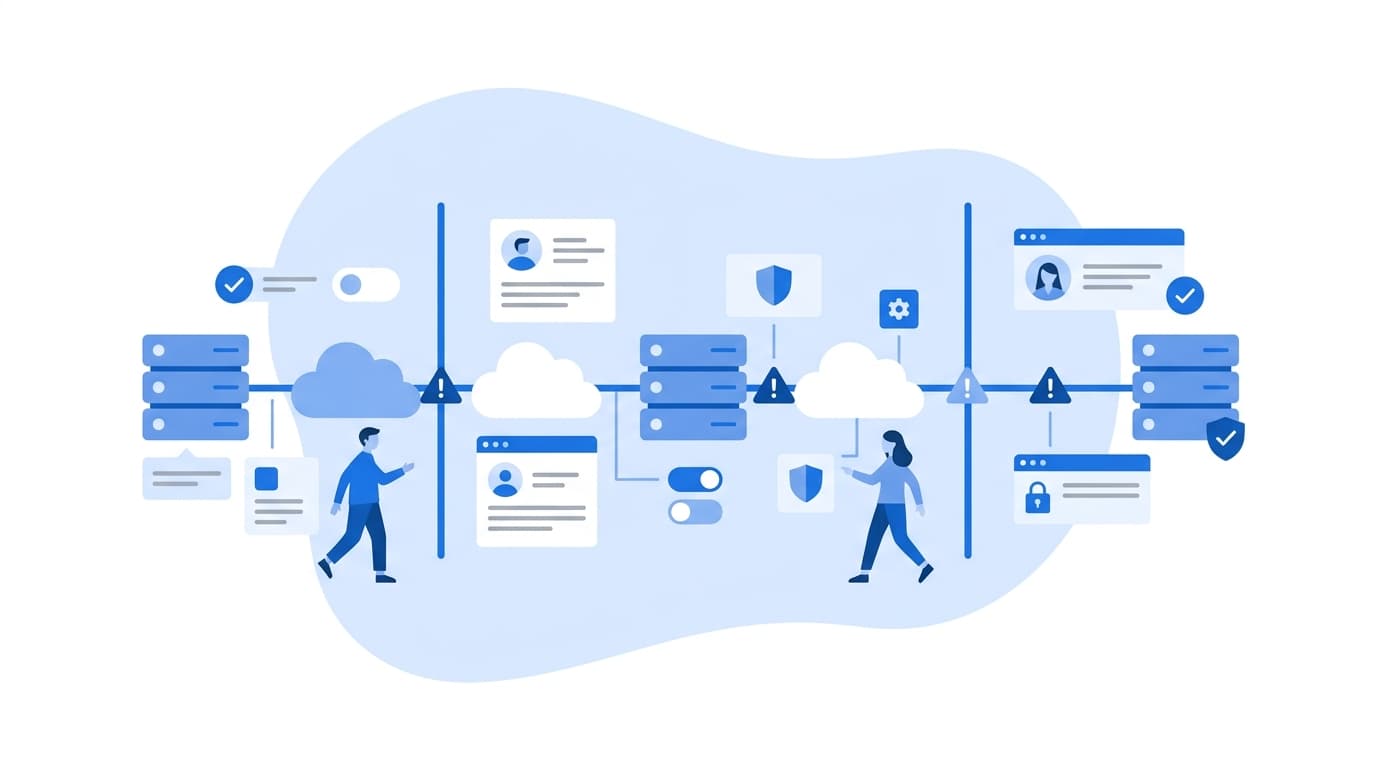
Mark a trust boundary wherever control or privilege changes hands. Common boundaries:
- Untrusted contributor code entering the repo (forks, external PRs)
- Third-party code entering the runner (dependencies, actions, base images)
- The runner obtaining credentials
- Artifacts crossing from build to deploy
- The deploy job reaching production
Threats cluster at boundaries, so those are where you spend your analysis time.
Step 3: Apply STRIDE at Each Boundary
STRIDE, originally developed at Microsoft, gives you six prompts so analysis stays systematic rather than relying on whoever is loudest in the room. Here is how each category maps to pipeline concerns:
| STRIDE category | Pipeline example |
|---|---|
| Spoofing | A forged commit identity, or a workflow that impersonates a trusted branch to obtain deploy credentials |
| Tampering | A modified dependency, a poisoned cache, or an artifact altered between build and deploy |
| Repudiation | No audit trail showing who approved or triggered a production deploy |
| Information disclosure | Secrets printed to logs, or exposed to workflows triggered by forked PRs |
| Denial of service | Exhausted runner capacity, or a deleted artifact registry blocking releases |
| Elevation of privilege | A PR-triggered job that runs with write tokens; a self-hosted runner reused across trust levels |
Go boundary by boundary and ask each question. For the "untrusted PR enters the runner" boundary, for example, one obvious finding is poisoned pipeline execution: a pull request that modifies the build script or workflow file and has it run with privileged credentials. In GitHub Actions, the pull_request_target trigger is a well-known source of this risk when combined with checking out PR code.
Step 4: Record Threats in a Structured Register
Write findings down in a format your team will maintain. We keep a YAML register in the repository so changes go through code review:
- id: CICD-007
  boundary: external-pr -> runner
  stride: [elevation_of_privilege, information_disclosure]
  threat: >
    Workflow triggered by pull_request_target checks out PR head
    and runs build scripts with repository secrets available.
  likelihood: high
  impact: high
  mitigation:
    - Use pull_request trigger for untrusted code (no secrets)
    - Require maintainer approval before workflows run for first-time contributors
    - Split privileged steps into a separate workflow on trusted refs
  owner: platform-team
  status: in-progress
Rank threats with a simple likelihood and impact scale. Do not invent precision you don't have. A three-level scale that the team agrees on beats a numeric score nobody trusts.
Step 5: Turn Mitigations into Enforced Controls
A threat model that lives only in a document does not change your risk. The output should be pipeline configuration, policy, and platform settings. A few high-value controls map directly to common findings.
Least-privilege tokens and short-lived credentials. Default the workflow token to read-only. Use OIDC federation to cloud providers in place of long-lived keys stored as secrets.
Pinned third-party actions. Tags can be moved. Pinning to a full commit SHA means a compromised upstream tag does not silently change what runs in your pipeline.
name: deploy
on:
  push:
    branches: [main]

permissions:
  contents: read            # default to read-only for all jobs

jobs:
  deploy:
    runs-on: ubuntu-latest
    environment: production # requires reviewers via environment protection
    permissions:
      contents: read
      id-token: write       # only this job can request an OIDC token
    steps:
      - uses: actions/checkout@<full-40-char-commit-sha> # v4
      - uses: aws-actions/configure-aws-credentials@<full-40-char-commit-sha> # v4
        with:
          role-to-assume: arn:aws:iam::123456789012:role/deploy-prod
          aws-region: us-east-1
On the cloud side, restrict the role's trust policy so only the main branch of the specific repository can assume it. Otherwise, any workflow in any branch that can request a token becomes a path to production.
Other controls worth mapping from your register:
- Branch protection and required reviews on the default branch and on workflow files (use CODEOWNERS for
.github/workflows/or your CI equivalent) - Ephemeral, isolated runners, especially for anything that executes untrusted code
- Artifact signing and provenance, following the SLSA framework, so deploy jobs verify what they receive
- Secret scanning and log masking, plus a rotation plan for when a secret leaks
- Audit logging of pipeline runs, approvals, and permission changes, retained somewhere the pipeline itself cannot delete
NIST's Secure Software Development Framework (SP 800-218) provides a useful checklist for confirming that your controls cover the build environment and not just the code.
Step 6: Keep the Model Alive
Pipelines change constantly. A threat model reviewed once a year will be wrong most of the year. Tie reviews to events instead:
- A new third-party action, plugin, or base image is introduced
- A new deployment target or cloud account is added
- Runner infrastructure changes (for example, moving to self-hosted runners)
- A relevant public incident affects a component you use
Because the diagram and register live in the repo, a pull request that adds a new deploy target can carry its own threat model update in the same review.
Common Mistakes to Avoid
- Modeling the ideal pipeline instead of the real one. Inspect actual workflow files, runner configuration, and IAM policies. Configuration drift is where the surprises are.
- Treating all secrets as equal. A read-only package token and a production admin role are not in the same risk tier.
- Ignoring developer workstations. They sit upstream of your first trust boundary. Signed commits and protected branches reduce reliance on any single laptop being clean.
- Producing findings without owners. Every threat in the register needs a named owner and a status.
If you need help putting this into practice across multiple teams or cloud accounts, our cloud and security engineering capabilities cover pipeline hardening and DevSecOps implementation. Regulated environments often add audit and evidence requirements on top of the technical controls, and we discuss those patterns in our industry-specific guidance.
FAQ
How long does it take to build a CI/CD threat model?
It depends on pipeline complexity. A first pass for a single repository with one deploy target can often be done in a focused working session with the people who own the pipeline. Larger estates with many repositories and shared runners take longer. Start with your highest-privilege pipeline and expand from there.
Is STRIDE the only method for threat modeling a pipeline?
No. STRIDE is popular because it is simple and systematic, but attack trees, PASTA, and checklist-driven reviews against the OWASP Top 10 CI/CD Security Risks also work. Many teams combine STRIDE for discovery with OWASP's list as a completeness check.
Who should be involved in pipeline threat modeling?
Include the people who build and operate the pipeline (platform or DevOps engineers), someone with security expertise, and a representative from the application teams who use it. Each group sees different trust boundaries.
How does threat modeling relate to DevSecOps?
Threat modeling tells you which risks matter in your pipeline. DevSecOps practices such as automated scanning, policy as code, and signed artifacts are how you enforce controls against those risks continuously. The threat model should drive which DevSecOps controls you prioritize.
Should self-hosted runners be treated differently?
Yes. Self-hosted runners can persist state between jobs and often sit inside your network, so a compromised job may reach internal systems or affect later builds. Prefer ephemeral runners, never use them for untrusted fork PRs, and segment them by trust level.
Sources
- OWASP, Top 10 CI/CD Security Risks: https://owasp.org/www-project-top-10-ci-cd-security-risks/
- SLSA, Supply-chain Levels for Software Artifacts: https://slsa.dev
- NIST SP 800-218, Secure Software Development Framework (SSDF): https://csrc.nist.gov/pubs/sp/800/218/final
- Microsoft, STRIDE threat model categories (Microsoft Threat Modeling Tool documentation): https://learn.microsoft.com/azure/security/develop/threat-modeling-tool-threats
- GitHub Docs, Security hardening for GitHub Actions: https://docs.github.com/actions/security-guides/security-hardening-for-github-actions
- Codecov, Bash Uploader Security Update (April 2021): https://about.codecov.io/security-update/
- NVD, CVE-2025-30066 (tj-actions/changed-files): https://nvd.nist.gov/vuln/detail/CVE-2025-30066