How to Implement FinOps on AWS for Measurable Cloud Cost Cuts
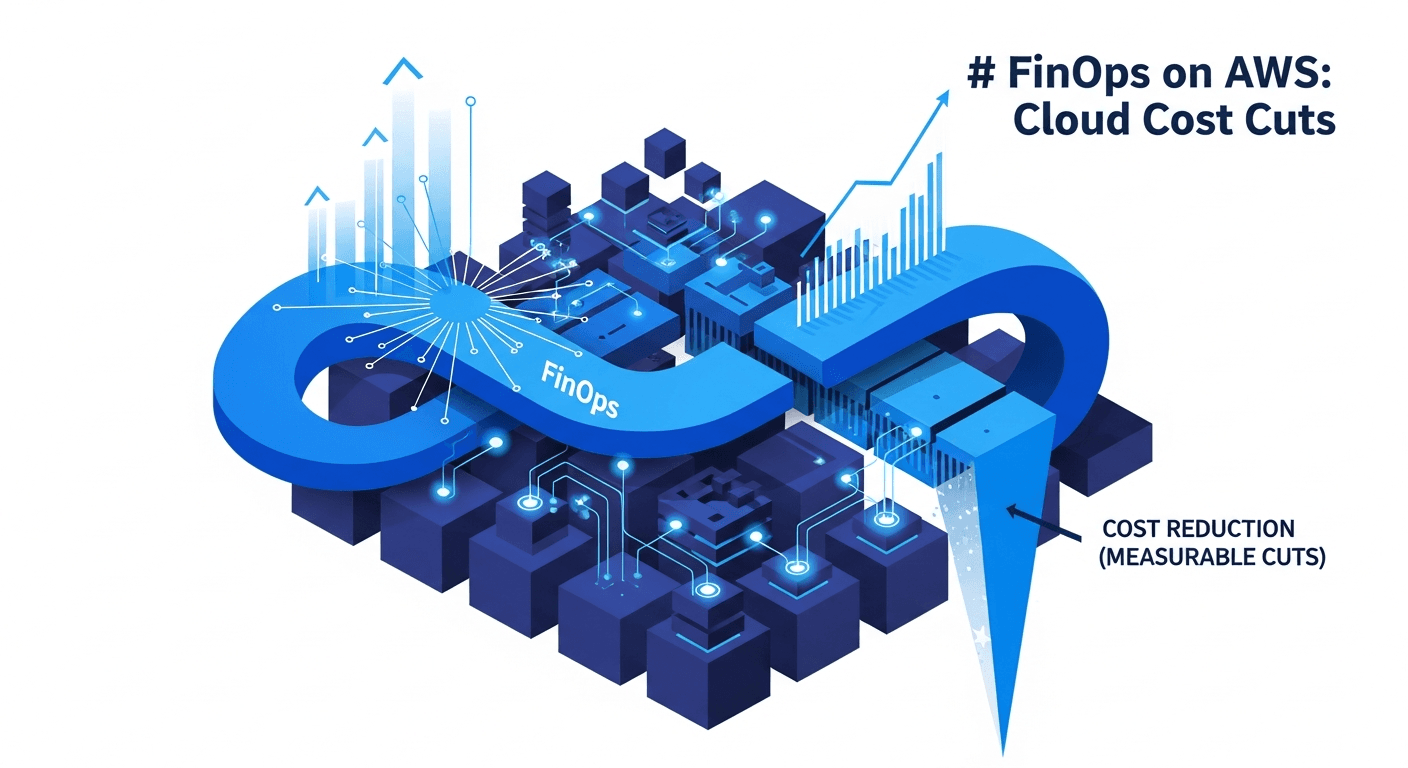
To implement FinOps on AWS and cut cloud costs in a way you can actually measure, you need three things working together: accurate cost allocation through tagging, a continuous loop of visibility and optimization, and accountability that ties spend to the teams who create it. This is not a one-time cleanup exercise. It is an operating model where engineering, finance, and product share responsibility for cloud economics. In this guide I walk through the concrete steps, the AWS-native tooling, and the Terraform patterns I use to turn cloud cost management from a quarterly surprise into a predictable, optimized line item.
What FinOps on AWS Actually Means
FinOps is the practice of bringing financial accountability to the variable spend model of the cloud. On AWS specifically, it means using the platform's billing, tagging, and optimization services to answer three questions on a recurring basis:
- Where is our money going? (Allocation and visibility)
- Are we getting the right value for it? (Optimization)
- Who owns the decision to spend or save? (Accountability)
The FinOps Foundation, a project under the Linux Foundation, describes this as an iterative lifecycle of Inform, Optimize, and Operate. I find that framing useful because it stops teams from treating cost work as a single sprint. The goal is a durable loop, not a heroic cleanup.
Before you touch a single Cost Explorer report, get agreement on one thing: cost is a non-functional requirement, the same as latency or availability. If your engineers do not see spend as part of their definition of done, no tool will save you.
Step 1: Build a Cost Allocation Foundation with Tagging
You cannot optimize what you cannot attribute. The single highest-leverage move in any FinOps program is a consistent, enforced tagging strategy. Without it, your AWS bill is a single undifferentiated number and every optimization conversation stalls.
Define a tagging schema
Start with a minimal set of mandatory tags. Adding twenty tags nobody maintains is worse than enforcing four that everyone does.
cost-center— maps spend to a finance codeteam— the owning engineering teamenvironment—prod,staging,devapplication— the workload or service name
Enforce tags as code
Manual tagging fails at scale. Enforce it in your infrastructure-as-code layer so untagged resources never reach production. This is where Terraform cost management starts: tags live in the same review process as the rest of your infrastructure.
# Apply a consistent tag set to every resource via default_tags
provider "aws" {
  region = "us-east-1"

  default_tags {
    tags = {
      cost-center = var.cost_center
      team        = var.team
      environment = var.environment
      application = var.application
      managed-by  = "terraform"
    }
  }
}
To catch resources created outside Terraform, use AWS Tag Policies in AWS Organizations and AWS Config rules to flag non-compliant resources. Then activate your tags as cost allocation tags in the Billing console so they appear in Cost Explorer and the Cost and Usage Report.
# Config rule that flags resources missing required tags
resource "aws_config_config_rule" "required_tags" {
  name = "required-tags"

  source {
    owner             = "AWS"
    source_identifier = "REQUIRED_TAGS"
  }

  input_parameters = jsonencode({
    tag1Key = "cost-center"
    tag2Key = "team"
    tag3Key = "environment"
  })
}
Expect tag coverage to take a few weeks to reach the 90%+ that makes reporting trustworthy. Track coverage as a metric. It is the leading indicator for the entire program.
Step 2: Establish Visibility Before You Optimize
With allocation in place, build the reporting layer. AWS gives you several native tools, and you should use them in combination rather than reaching for a third-party platform on day one.
Cost Explorer and the Cost and Usage Report
AWS Cost Explorer is your first stop for trend analysis and grouping spend by tag, service, or account. For deeper analysis, enable the Cost and Usage Report (CUR), which delivers line-item billing data to S3. Query it with Amazon Athena to answer questions Cost Explorer cannot, such as per-team unit economics.
-- Monthly cost grouped by team tag, from CUR data in Athena
SELECT
  resource_tags_user_team AS team,
  SUM(line_item_unblended_cost) AS total_cost
FROM cur_table
WHERE year = '2024' AND month = '10'
GROUP BY resource_tags_user_team
ORDER BY total_cost DESC;
Budgets and anomaly detection
Set up AWS Budgets with alerts at meaningful thresholds, and enable AWS Cost Anomaly Detection, which uses machine learning to flag unusual spend before it compounds. I configure anomaly alerts to route into the same channel where teams already get operational alerts, so cost incidents are treated like any other incident.
A note on tooling
The phrase cloud FinOps tools covers a wide range, from native AWS services to commercial platforms. My advice: exhaust the native stack first. Cost Explorer, CUR plus Athena, Budgets, and Compute Optimizer cover the majority of needs for most organizations. Add a commercial platform only when you have a clear gap, such as multi-cloud aggregation or chargeback automation that the native tools do not support.
Step 3: Optimize Systematically
Now you optimize, in priority order. The sequence matters because rate optimizations are reversible and low-risk, while architectural changes carry engineering cost.
Rightsizing
AWS Compute Optimizer analyzes utilization and recommends instance changes for EC2, EBS, Lambda, and ECS. Idle and oversized resources are the most common source of waste. Review recommendations monthly and feed them back into your Terraform variables so the change is durable.
Commitment-based discounts
For predictable baseline workloads, Savings Plans and Reserved Instances offer substantial discounts over on-demand pricing in exchange for a one- or three-year commitment. Start with a conservative commitment covering your stable baseline, then increase coverage as confidence grows. Avoid over-committing to capacity you may not need.
Storage and data transfer
- Apply S3 Lifecycle policies to move infrequently accessed data to cheaper tiers.
- Use S3 Intelligent-Tiering when access patterns are unpredictable.
- Audit data transfer costs, especially cross-AZ and NAT Gateway traffic, which are frequently overlooked.
Eliminate waste with automation
Schedule non-production environments to shut down outside business hours. A dev account that runs 24/7 but is used 40 hours a week is burning more than half its compute budget for nothing.
# Tag resources for automated start/stop scheduling
resource "aws_instance" "dev_app" {
  # ...
  tags = {
    schedule = "office-hours" # consumed by a Lambda scheduler
  }
}
This kind of cross-functional optimization work is where an experienced engineering partner pays for itself. Our cloud and infrastructure capabilities center on exactly this loop of measurement and durable change.
Step 4: Operate the Loop
The Operate phase is where most programs quietly die. To keep it alive:
- Assign owners. Every cost center and team tag should map to a named owner who reviews their spend.
- Run a monthly cost review. Treat it like a sprint review. What changed, why, and what is the plan.
- Define unit economics. Cost per customer, per transaction, or per tenant tells you whether spend is healthy as you grow. Absolute spend going up is fine if cost per unit is going down.
- Automate guardrails. Use Service Control Policies to block expensive instance types in dev accounts, for example.
Different sectors have different cost drivers. A media company optimizes egress and transcoding, while a SaaS firm focuses on per-tenant compute. We tune these programs to the workload patterns of the industries we work with rather than applying a generic template.
Measuring Success
Define your metrics up front so you can prove the program works:
- Tag coverage percentage (target 90%+)
- Savings Plan and RI coverage and utilization
- Idle and unattached resource count over time
- Unit cost (cost per customer or transaction)
- Forecast accuracy (budget vs. actual variance)
When these trend in the right direction together, you have a working FinOps on AWS practice rather than a one-off cleanup.
FAQ
How long does it take to see results from FinOps on AWS?
Rate optimizations like Savings Plans and rightsizing can show savings within the first billing cycle. The cultural and accountability changes that produce durable, compounding results typically take two to three months to establish, once tagging coverage and review cadence are in place.
Do I need a commercial FinOps platform to start?
No. The AWS native stack of Cost Explorer, Cost and Usage Report with Athena, Budgets, Compute Optimizer, and Cost Anomaly Detection covers the majority of needs. Adopt a commercial tool only when you have a specific gap such as multi-cloud aggregation or automated chargeback.
How does Terraform help with cloud cost management?
Terraform lets you enforce tagging as code, codify rightsizing decisions in version-controlled variables, and apply scheduling tags consistently. Because cost-relevant configuration goes through the same review process as the rest of your infrastructure, optimizations become durable rather than one-off manual fixes.
What is the single biggest source of AWS waste?
In my experience it is idle and oversized compute, closely followed by non-production environments running around the clock. Both are addressable with Compute Optimizer recommendations and automated start/stop scheduling.
Who should own FinOps in an organization?
FinOps is a shared responsibility across engineering, finance, and product. Many organizations appoint a coordinator or small team to run the cadence, but the actual optimization decisions stay with the engineering teams that own each workload.